
Your habits,
their happiness.
A tiny companion in Cursor, VS Code, and Google Antigravity—stats, care, and chat in the editor via MCP—so your Sprout stays with you while you ship.
Connect your favorite apps to grow your sprout.
 WHOOP
WHOOPMeet the Sprouts
Six unique companions, each with their own personality. Names below are just for fun—in the app, you name your Sprout yourself.
Posed art is the brand vision; in Cursor, VS Code, and Antigravity you get the same cast as pixel spirits. Toggle to compare—or stack posed and pixel in each card.

“Rusty” the Fox
Adventurous

“Bruno” the Bear
Strong

“Sage” the Owl
Wise

“Lyra” the Deer
Graceful

“Pip” the Penguin
Resilient

“Dash” the Rabbit
Swift
Sprouts in your editor
Companion sidebar and bottom panel with pixel spirit preview, stats, Feed, Store, and Eggs—wired to your Sprout. Sign in from the editor with GitHub (Supabase). Talk to your Sprout in Cursor Chat (or your editor's AI chat) with the Sprouts MCP + skill—not a separate sidebar LLM. See the IDE setup guide for MCP and reload steps.
Richer 3D presentation is on the roadmap; today the extension ships lightweight pixel art that matches the same six species.
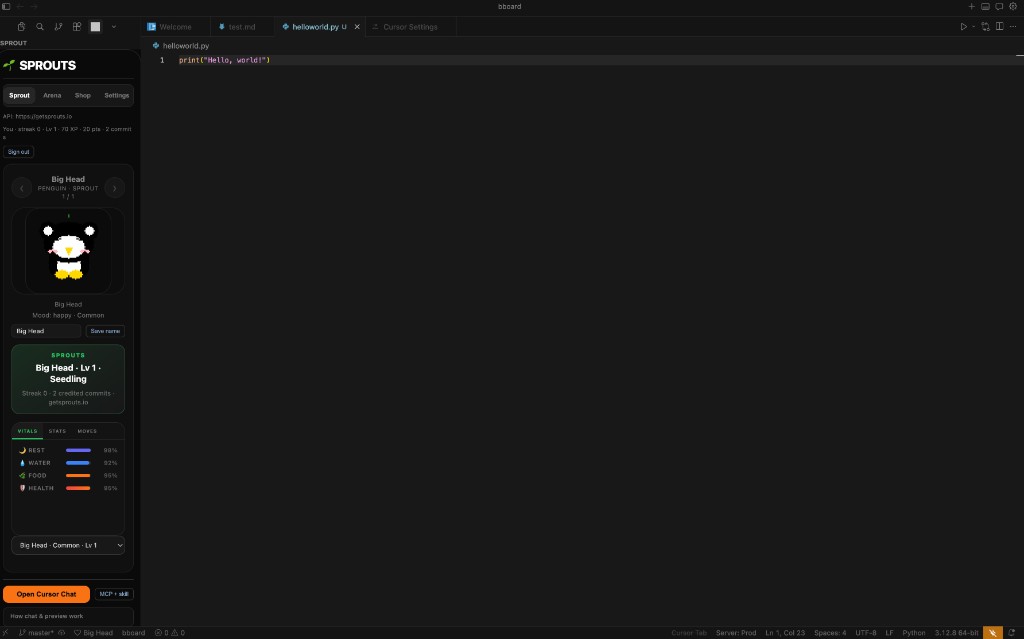
Sidebar — profile, vitals, Shop, Cursor Chat + MCP
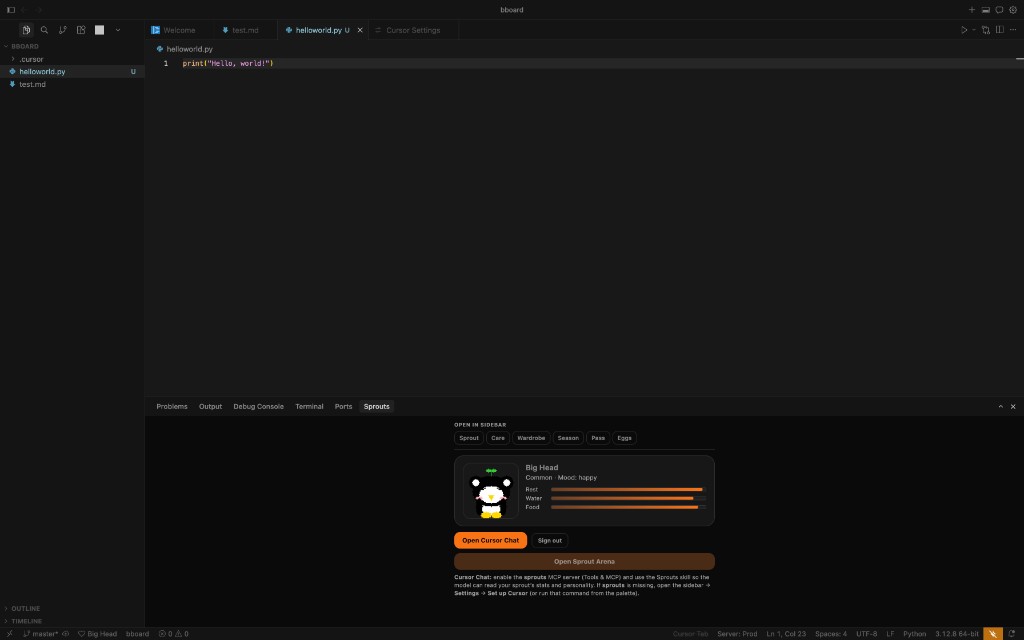
Mini panel — quick peek, Arena link, jump to sidebar
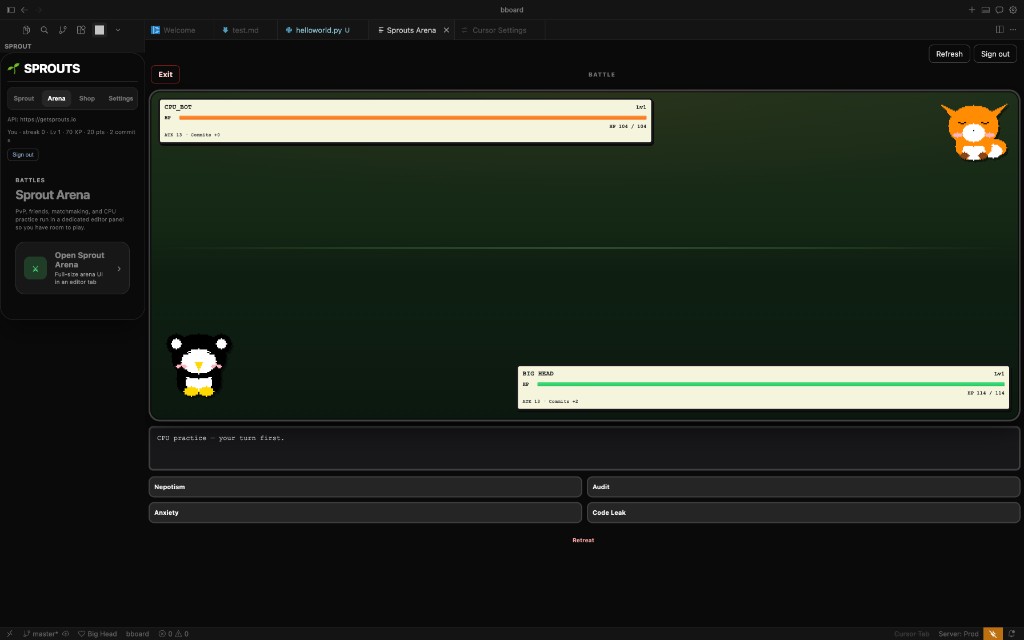
Arena — turn-based battles in a full editor tab
Why install Sprouts?
Install once in Cursor, VS Code, or Antigravity, sign in with GitHub, enable MCP, and keep your Sprout visible next to your code.
Your Sprout in the editor
Install from Open VS X, use Sprouts: Sign in in the editor (browser), or optionally npx sprouts-cli login — then get the sidebar: pixel spirit preview, mood and needs, Feed, Store, Eggs, and one-click MCP + skill setup for this workspace.
Real talk in Chat—with real stats
Use Cursor Chat or Composer with the Sprouts MCP: your model can pull live sprout data and personality. The webview stays for visuals and actions; dialogue rides on the tools you already use.
Care from the editor
Feed, Store, and rename live in the Companion; your model handles dialogue in Chat with live tool data—no duplicate pet AI in the sidebar.
Start in 3 Steps
From sign-up to your first level-up in minutes.
Install the extension
From Open VS X or a VSIX—see the IDE setup guide (Cursor, VS Code, Antigravity).
Sign in & MCP
Sprouts: Sign in in the editor, then MCP + skill (or auto-setup) for this workspace.
Chat with your Sprout
Open Cursor Chat, enable the sprouts server, and talk with real stats and personality.
Your Sprout is waiting.
Join thousands turning their habits into something they can see, love, and grow.
IDE extension for Cursor, VS Code, Google Antigravity, and other VS Code–compatible editors